Enabling “Google AdSense Offerwall Rewarded Ads (Website Rewarded Videos)” is easy. Disabling it, however, is surprisingly difficult — not because it requires special permissions, but because the switch is hidden so well that it feels impossible to find.
This guide is dedicated to anyone who has run into the same problem.
As for why you might want to disable it, there are two main reasons:
- The user experience is not particularly good, especially compared to mobile app implementations.
- Yijile.com only enabled it temporarily for testing purposes.
So, how do you disable “Google AdSense Offerwall Rewarded Ads (Website Rewarded Videos)”?
Just follow these steps:
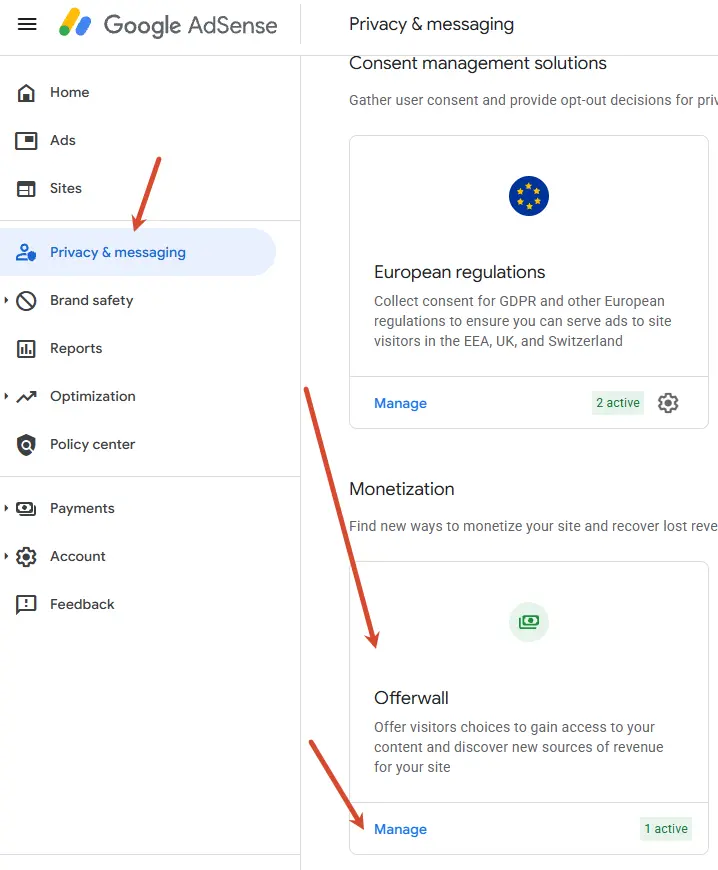
- Open Google AdSense and sign in.
- Click “Privacy & messaging” in the left-hand menu.
- On the “Privacy & messaging” page, locate the “Monetization” section. Inside it, you will find “Offerwall.” Click “Manage.”
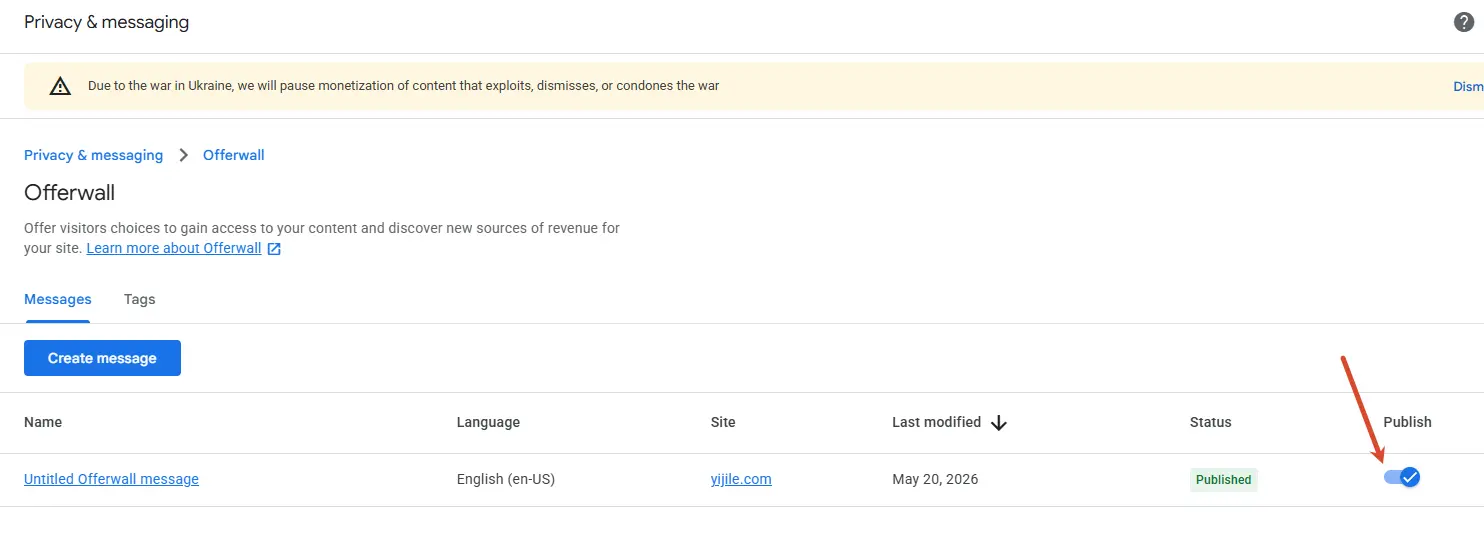
- On the “Offerwall” page, disable the published message.
Reprinted from: Yijile.com( https://yijile.com/en/how-disable-google-adsense-for-points-wall-incentive-ads/ )

Licensed under
CC BY-NC-SA 4.0
.
Please credit the source and link to this article, indicate if changes were made, and share under the same non-commercial terms.
